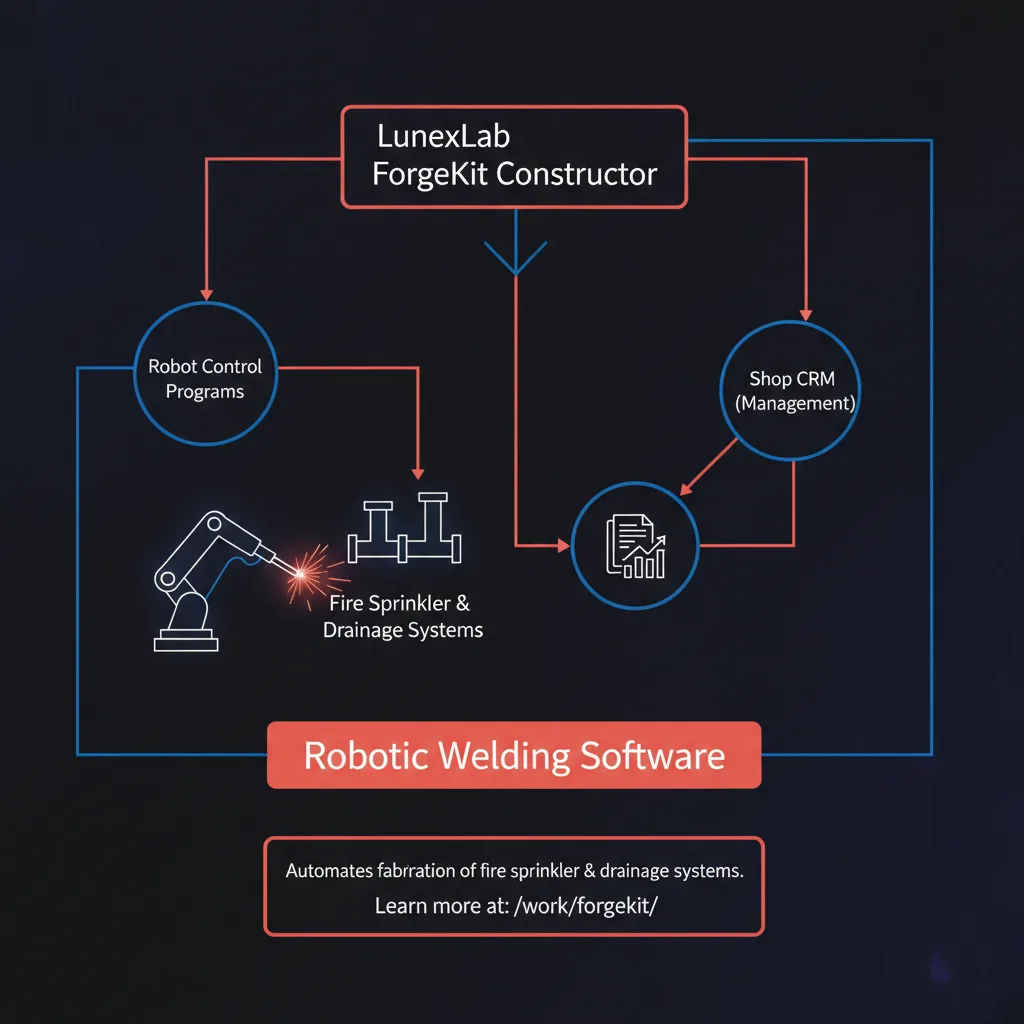
Fire sprinkler and drainage fabrication shops face a unique automation challenge: every project demands custom specifications, short production runs, and rapid changeovers. Traditional robotic welding software—designed for high-volume, repetitive manufacturing—forces operators to spend hours programming one-off parts or rely on slow teach-pendant workflows. The result: robots sit idle while programmers catch up, and custom orders bottleneck shop throughput.
Fire sprinkler and drainage fabrication shops face a unique automation challenge: every project demands custom specifications, short production runs, and rapid changeovers. Traditional robotic welding software—designed for high-volume, repetitive manufacturing—forces operators to spend hours programming one-off parts or rely on slow teach-pendant workflows. The result: robots sit idle while programmers catch up, and custom orders bottleneck shop throughput.
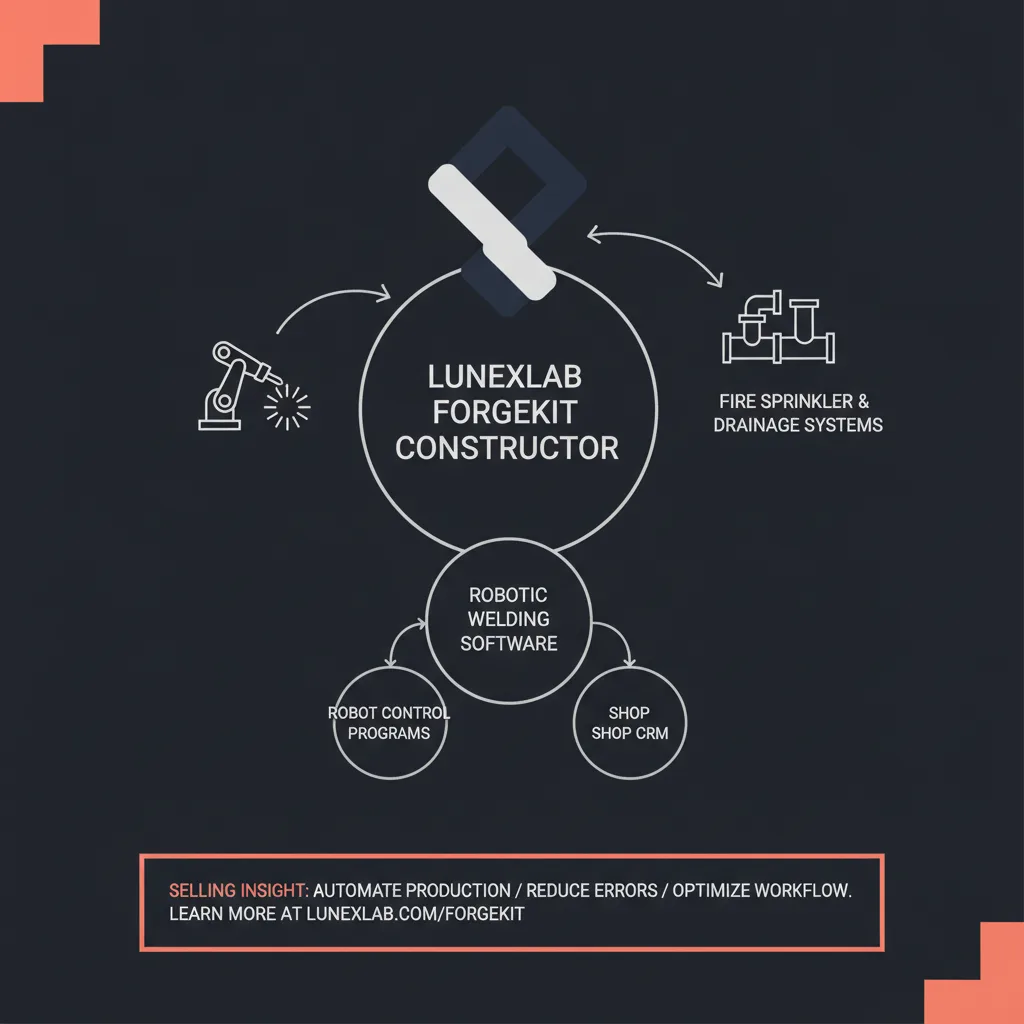
LunexLab ForgeKit solves this problem with a purpose-built constructor that generates robot control programs for fire sprinkler and drainage assemblies in minutes, not hours. Unlike generic offline programming tools, ForgeKit combines parametric weld-path templates for pipes and fittings with an integrated shop CRM that tracks jobs, materials, and production schedules. For fabricators handling 20 to 200 custom orders per month, ForgeKit delivers a unified platform that accelerates both robot programming and shop operations—purpose-built for welding robot programming software needs in the fire protection industry.
If you're looking to streamline automation without learning complex CAD workflows, this article explains why fire sprinkler and drainage shops need specialized robotic welding software, how ForgeKit's constructor paradigm works, and what sets the platform apart from traditional welding automation software.
Key Takeaways
- ForgeKit generates robot control programs from parametric templates tailored to fire sprinkler and drainage assemblies, eliminating hours of CAD work or teach-pendant programming.
- The built-in CRM tracks jobs, materials, and schedules, linking robot programs directly to customer orders for seamless shop operations.
- ForgeKit is designed for custom and short-run production, where traditional offline programming software for welding creates bottlenecks.
- The platform supports ABB, FANUC, KUKA, Yaskawa, and other major robot brands, exporting collision-free control code with optimized cycle times.
- Fabrication shops typically see 50–80% reductions in programming time and 30–50% increases in robot utilization within the first year.
Why Fire Sprinkler & Drainage Shops Need Specialized Welding Software
Unique Requirements of Sprinkler Fabrication
Fire sprinkler and drainage systems are rarely identical. Each project follows building codes, architect specifications, and site-specific layouts that dictate pipe diameters, fitting angles, branch configurations, and material grades. A mid-sized fabrication shop might handle 50 to 200 custom orders per month, with batch sizes ranging from two units to twenty—too small for dedicated production lines, too varied for fixed automation.
This creates three operational pressures:
1. Frequent changeovers: Switching between 2-inch Schedule 40 pipe assemblies and 6-inch drainage manifolds requires new weld programs, fixture setups, and quality checks. 2. Custom specifications: Building codes and project drawings specify weld joint types, penetration depths, and inspection requirements that vary order-to-order. 3. Mixed materials and fittings: Shops weld carbon steel, stainless steel, and sometimes copper; they work with tees, elbows, reducers, and flanges—each requiring different weld parameters.
Traditional welding automation software treats these challenges as edge cases. ForgeKit treats them as the core workflow.
Limitations of Generic Welding Robot Software
Generic offline programming software—tools like Delfoi VC Robotics OLP 4, Almacam Robotics, or ABAGY—excel in high-volume manufacturing. They offer powerful CAD import, simulation, and optimization features. But for fire sprinkler and drainage fabrication, they introduce friction:
- Long setup times: Importing CAD models, defining weld paths, and configuring robot kinematics can take hours per part. For a shop running ten different assemblies per week, that's 40+ hours of programming overhead.
- CAD expertise required: Most offline programming tools assume access to detailed 3D models. Many sprinkler shops work from 2D drawings or verbal specs, forcing operators to model parts before they can program welds.
- No job integration: Generic tools output robot code but don't link programs to customer orders, material inventory, or production schedules. Shops must maintain separate ERP or spreadsheet systems, creating opportunities for mismatched programs and missing materials.
- Overkill for custom work: Enterprise welding suites include advanced features—multi-pass adaptive fill, vision-guided seam tracking, fleet management for dozens of robots—that small and mid-sized sprinkler fabricators don't need and don't want to pay for.
The gap is clear: fire sprinkler and drainage shops need robotic welding programming solutions that generate robot programs as fast as they receive custom orders, without requiring CAD skills or disconnected shop management tools.
How ForgeKit Works: Constructor + Robot Control Generation
LunexLab ForgeKit replaces the traditional offline programming workflow with a parametric constructor. Instead of importing CAD and manually teaching weld paths, operators select a template for the assembly type (tee joint, elbow with branch, flange connection), enter dimensions and material specs, and let ForgeKit generate the complete robot control program.
Parametric Templates for Sprinkler & Drainage Assemblies
ForgeKit ships with pre-configured templates for the most common fire sprinkler and drainage weld joints:
- Pipe-to-pipe butt welds (matching and mismatched diameters)
- Tee and cross fittings (branch connections at 90°, 45°, and custom angles)
- Elbow assemblies (short and long radius, segmented bends)
- Flange connections (slip-on, weld-neck, socket weld)
- Reducer and adapter joints (concentric and eccentric transitions)
Each template encodes weld-path geometry, torch angles, travel speeds, and heat input parameters based on pipe diameter, wall thickness, and material grade. When an operator creates a new job in ForgeKit, they:
1. Select the template that matches the assembly type. 2. Enter dimensions: outer diameter, wall thickness, branch angle, etc. 3. Specify material and process: carbon steel MIG, stainless TIG, filler metal, shielding gas. 4. Adjust weld parameters: if needed, override travel speed, weave width, or dwell times.
ForgeKit calculates the weld path, generates multi-pass sequences for thick-wall pipe, and validates torch clearance. The entire process takes minutes, not hours.
For assemblies that don't fit a standard template, ForgeKit supports custom CAD import and manual path definition—but most sprinkler and drainage jobs fall within the template library, keeping programming fast and repeatable.Automated Robot Program Output
Once the weld path is defined, ForgeKit generates robot-specific control code. The platform includes post-processors for:
- ABB (RAPID)
- FANUC (LS, TP)
- KUKA (KRL)
- Yaskawa (Inform, JBI)
- Universal Robots (URScript)
- Other brands via custom post-processor configuration
ForgeKit performs collision-free path planning, checking that the torch, wire feeder, and robot arm clear the part, fixture, and turntable throughout the weld cycle. If a collision is detected, the software alerts the operator and suggests reach adjustments or fixture repositioning.
The output includes:
- Weld start/end coordinates in robot base frame
- TCP orientation (torch angle and lead/lag)
- Motion commands (linear, circular, joint moves)
- Process I/O: arc start/stop, wire feed rate, voltage, gas flow
- Cycle-time estimates and program metadata
Operators upload the program to the robot controller, verify with a dry-run, and begin production. For repeat orders, ForgeKit stores the program in the job library—rerun the same assembly by recalling the saved template and dimensions.
Simulation & Validation Before Production
ForgeKit includes a 3D simulation environment that visualizes the robot, part, and fixture. Operators can:
- Step through the weld sequence move-by-move
- Check torch clearance at critical positions (start, corners, end)
- Validate weld coverage: ensure all joint edges receive specified penetration
- Estimate cycle time: compare simulated runtime against production targets
This virtual dry-run catches errors before they reach the shop floor—reducing scrap, rework, and robot downtime. For shops running thin margins on custom orders, eliminating even one scrapped part per week pays for the software.
Integrated Shop CRM: Manage Jobs, Not Just Robots
ForgeKit's second differentiator is its built-in CRM for shop operations. Traditional robotic welding software outputs programs and stops there; ForgeKit links robot programs to customer orders, production schedules, and material inventory.
Order & Job Tracking
When a new sprinkler or drainage order arrives, the shop creates a job record in ForgeKit:
- Customer name and order number
- Part specifications: assembly type, dimensions, material, quantity
- Delivery deadline and priority level
- Assigned robot and shift schedule
The system automatically links the job to the matching weld program template. If the program already exists (repeat order), ForgeKit recalls it from the library. If it's a new configuration, the operator generates the program using the constructor workflow described above.
The CRM dashboard shows:
- Active jobs (in queue, in progress, completed)
- Robot utilization (scheduled vs. idle time)
- Job throughput (orders completed per shift/week)
- Bottlenecks: jobs waiting for programming, material, or robot availability
Shop managers can reorder the queue, assign urgent jobs to available robots, and track which orders are behind schedule—all within the same platform that generates robot control programs.
Material & Inventory Management
Fire sprinkler and drainage fabrication consumes pipes, fittings, filler wire, and shielding gas at varying rates depending on order mix. ForgeKit's CRM tracks:
- Pipe stock by diameter, schedule, and material grade
- Fitting inventory (tees, elbows, reducers, flanges)
- Consumables: wire spools, gas cylinders, contact tips, nozzles
- Material assignments per job
When an operator generates a robot program, ForgeKit calculates material requirements based on weld length, wire feed rate, and gas flow. The system flags jobs that will deplete inventory below reorder thresholds and generates automatic reorder alerts for procurement.
This integration prevents the classic scenario where a robot program is ready but production halts because the shop is out of 4-inch Schedule 40 pipe or TIG filler wire.
Reporting & Analytics
ForgeKit's CRM provides real-time dashboards and historical reports:
- Welding throughput: total weld length, arc-on time, cycle time per assembly type
- Robot utilization: percentage of shift time spent welding vs. idle or in setup
- Job profitability: labor hours, material cost, and cycle time per order
- Quality metrics: scrap rate, rework incidents, inspection pass/fail
- Operator performance: jobs completed, average programming time, setup time
Shop managers use these metrics to identify process improvements—such as which assembly types take longest to program, which robots have highest downtime, or which material suppliers deliver inconsistent fittings that increase rework.
For shops running multiple shifts or multiple robots, ForgeKit's reporting replaces spreadsheets and manual logs with automated, always-current data.
Comparison: ForgeKit vs. Generic Welding OLP Software
| Feature | ForgeKit | Generic OLP (VC, Almacam, ABAGY, etc.) |
|---|---|---|
| Industry Focus | Fire sprinkler & drainage fabrication | General welding (automotive, heavy fab, etc.) |
| Programming Model | Parametric constructor with templates | CAD import + manual path teaching |
| CRM / Shop Operations | Built-in job tracking, material management, scheduling | Requires separate ERP or manual systems |
| Setup Time (Custom Parts) | Minutes (template + dimensions) | Hours (CAD modeling + path planning) |
| Small-Batch Optimization | Yes—designed for 2–50 units per job | Limited—optimized for high-volume runs |
| CAD Skills Required | No (templates handle most jobs) | Yes (or extensive teach-pendant time) |
| Multi-Robot Brand Support | ABB, FANUC, KUKA, Yaskawa, UR, + custom | Varies by vendor |
| Material & Inventory Integration | Yes | No |
| Job-to-Program Linking | Automatic | Manual (separate systems) |
| Pricing Model | Per-robot license + optional cloud | Enterprise seats, often bundled with consulting |
ForgeKit trades the breadth of generic offline programming software for depth in a vertical niche. Shops that fabricate fire sprinkler and drainage systems gain faster programming, tighter shop integration, and lower total cost of ownership. Shops that weld automotive chassis or structural steel may still prefer a general-purpose tool.
Real-World ForgeKit Use Case: Sprinkler Fabrication Shop
A mid-sized fire sprinkler fabrication shop in the industrial Midwest ran two ABB welding robots on a single shift, producing 50 to 150 custom assemblies per month. Before ForgeKit, the shop relied on teach-pendant programming: a skilled welder manually jogged the robot to each weld start point, recorded positions, and tested cycle times. For a typical tee assembly with three weld joints, teach-pendant programming took 2 to 4 hours. Complex multi-branch manifolds required a full day.
The bottleneck was severe: robots sat idle 40% of the time waiting for programs, and rush orders forced overtime teach-pendant sessions that disrupted production schedules.
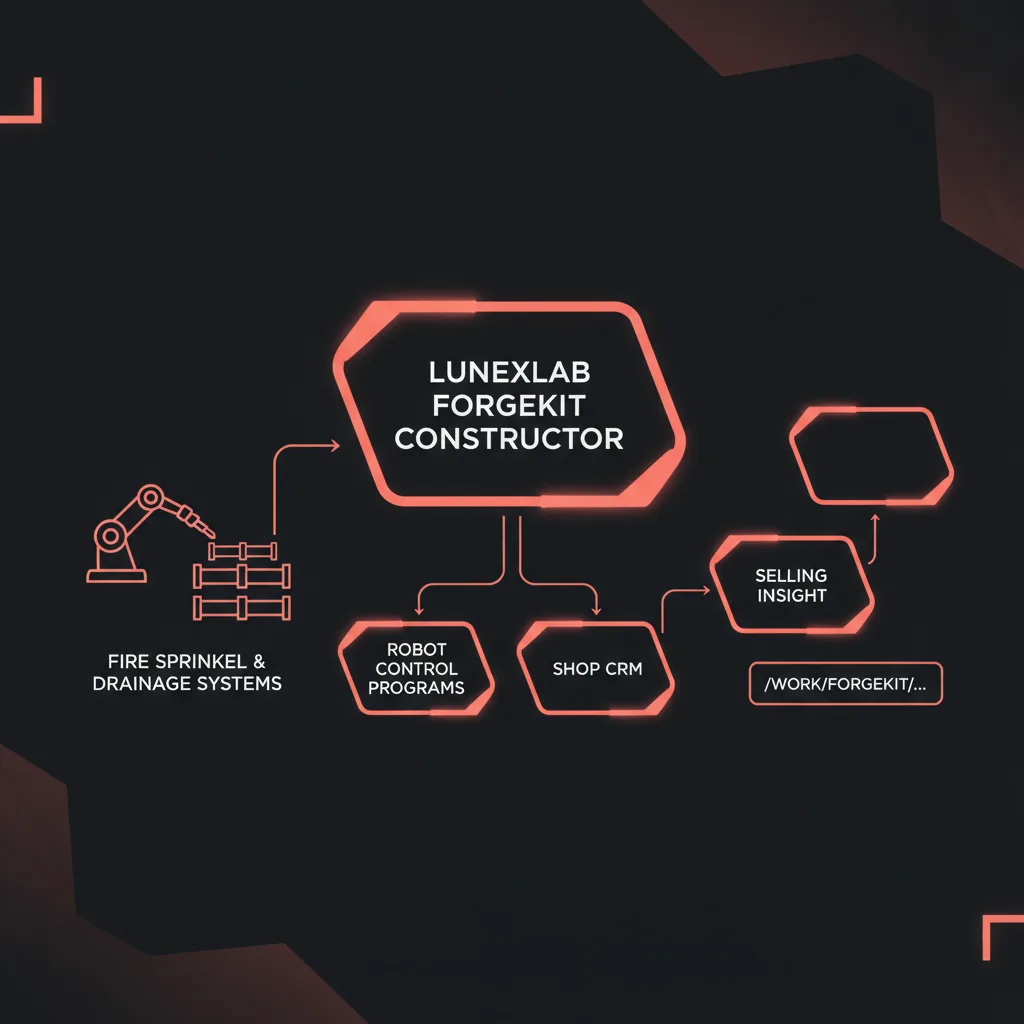
Challenge: Teach-Pendant Programming Bottleneck
The shop evaluated traditional offline programming software but found setup complexity prohibitive. Importing CAD models from 2D project drawings, defining coordinate frames, and validating kinematics required CAD expertise the shop didn't have in-house. Outsourcing programming to integrators added cost and lead time—unacceptable for custom orders with two-week delivery windows.
Solution: ForgeKit Constructor Templates + CRM Scheduling
The shop deployed ForgeKit with custom templates for its ten most common sprinkler assembly types. Operators received two days of training on the constructor workflow: select template, enter pipe dimensions and material, generate program, simulate, upload to robot.
ForgeKit's CRM replaced the shop's Excel-based job tracker. Customer orders entered the system as jobs, linked automatically to robot programs. The production scheduler visualized which robots had capacity and reordered the queue to meet delivery deadlines.
Result: Faster Programming, Higher Cell Utilization
Within three months:
- Program generation time dropped from 2–4 hours to 20–40 minutes for standard assemblies.
- Robot utilization increased from 60% to 84%, with idle time shifting from waiting-for-programs to planned maintenance and material staging.
- Setup changeovers accelerated: recalling saved programs for repeat orders took under five minutes.
- Material waste decreased 15%: CRM inventory tracking prevented jobs from starting with insufficient pipe stock, reducing mid-run halts and scrap.
The shop's payback period was under ten months, driven primarily by higher robot throughput and reduced overtime programming labor. (Figures are illustrative and NDA-protected; actual results vary by shop configuration and order mix.)
Key Features of LunexLab ForgeKit
ForgeKit combines robot programming automation with shop operations management in a single platform:
Parametric Weld-Path Constructor
- Pre-configured templates for fire sprinkler and drainage assemblies
- Adjustable dimensions, materials, and weld parameters
- Multi-pass sequencing for thick-wall pipe
- Custom CAD import for non-standard parts
Multi-Brand Robot Code Export
- Post-processors for ABB, FANUC, KUKA, Yaskawa, UR, and others
- Collision-free path planning and kinematic validation
- Optimized cycle times with configurable motion profiles
- Program metadata and version control
Built-In Shop CRM
- Job and order tracking linked to robot programs
- Material and inventory management with reorder alerts
- Production scheduling and robot utilization dashboards
- Real-time reporting: throughput, cycle times, profitability
Cloud or On-Premises Deployment
- SaaS model with secure cloud storage and multi-site access
- On-premises installation for shops with air-gapped networks
- Role-based access control for operators, programmers, and managers
Ongoing Support & Updates
- LunexLab provides technical support and software updates
- Template library expansions based on customer requests
- Integration consulting for ERP and MES systems
Getting Started with ForgeKit
Deploying ForgeKit in a fire sprinkler or drainage fabrication shop follows a five-phase workflow:
1. Assessment: Map Current Workflow & Robot Setup
LunexLab engineers meet with shop management and lead welders to document:
- Existing robots (brands, models, controller versions)
- Common assembly types and annual order volumes
- Current programming methods (teach pendant, offline software, or none)
- Shop management systems (ERP, spreadsheets, paper logs)
- Pain points: programming bottlenecks, material tracking issues, scheduling conflicts
2. Template Configuration: Customize Constructor for Common Assemblies
Based on the assessment, LunexLab configures ForgeKit templates for the shop's ten to twenty most frequent assembly types. This includes:
- Weld joint geometry and torch orientations
- Default weld parameters (voltage, wire feed, travel speed) for shop materials
- Fixture and turntable clearances
- Quality standards (penetration depth, weld bead profile)
Shops can add or modify templates as product mix evolves.
3. Training: Onboard Welders & Shop Managers
ForgeKit training takes 2 to 5 days depending on shop size and operator experience:
- Day 1–2: Constructor workflow—select template, enter dimensions, generate programs, simulate
- Day 3: CRM operations—create jobs, track materials, schedule robots, run reports
- Day 4–5 (optional): Advanced topics—custom CAD import, post-processor tuning, ERP integration
Training is hands-on, using the shop's actual robots and assemblies.
4. Integration: Connect to ERP or Standalone CRM Mode
ForgeKit can operate standalone or integrate with existing ERP systems (SAP, Oracle, Epicor, etc.). Integration options include:
- Order import: pull customer orders from ERP into ForgeKit jobs
- Material sync: share inventory data between ForgeKit and ERP
- Program export: push completed robot programs and cycle times back to ERP for costing
Shops without ERP use ForgeKit's built-in CRM as the primary job and material tracking system.
5. Support: Ongoing Updates & Technical Assistance
LunexLab provides:
- Software updates with new templates, post-processor improvements, and CRM features
- Technical support via email, phone, and remote screen share
- Template expansion based on customer requests (e.g., adding a new fitting type)
- Process consulting to optimize weld parameters and cycle times
Annual support agreements include all updates and unlimited technical assistance.
If you're ready to explore how ForgeKit can streamline your shop's welding automation, contact our team to schedule a demo or on-site assessment. For more on LunexLab's industrial automation work, visit our services page.
FAQ: Robotic Welding Software for Sprinkler Systems
Can ForgeKit work with my existing welding robots?
Yes. ForgeKit generates control programs for ABB, FANUC, KUKA, Yaskawa, Universal Robots, and other major brands. We provide post-processors for your specific robot model and controller version. If your robot brand isn't yet supported, LunexLab can develop a custom post-processor as part of deployment.
Do I need CAD skills to use ForgeKit?
No. The constructor workflow uses parametric templates—you enter pipe dimensions, fitting types, and weld specifications; ForgeKit builds the weld path and robot program automatically. CAD import is available for complex custom assemblies that fall outside template coverage, but most fire sprinkler and drainage jobs use the template library exclusively.How does the built-in CRM differ from standalone shop management software?
ForgeKit CRM is tightly coupled with robot program generation. When you create a job for a customer order, the system links it directly to the weld program template, schedules robot time, allocates material, and tracks production status—all in one workflow. Standalone ERP or MES systems require separate programming tools and manual data entry to connect orders to robot programs. ForgeKit eliminates that gap.
What ROI can I expect from robotic welding software like ForgeKit?
Shops running 20 or more custom jobs per month typically see 50–80% reductions in programming time (from hours to minutes per assembly) and 30–50% increases in robot utilization (less idle time waiting for programs). For a mid-sized shop with two robots, this translates to 10–20 additional billable weld hours per week. Payback periods are often under 12 months, driven by higher throughput and reduced programming labor. Actual ROI depends on order volume, assembly complexity, and current programming methods.
Does ForgeKit support both arc welding and resistance welding?
Currently, ForgeKit focuses on arc welding (MIG, TIG, flux-cored) for pipe and fitting assemblies common in fire sprinkler and drainage systems. These processes dominate sprinkler fabrication. Resistance and spot welding support is on the development roadmap; contact LunexLab if your shop requires multi-process capability.
Can ForgeKit handle metric pipe sizes and international welding codes?
Yes. ForgeKit templates support both imperial (Schedule 40, 80, etc.) and metric (DN, ISO) pipe standards. Weld parameter libraries include configurations for AWS, ASME, EN, and ISO codes. During deployment, LunexLab configures the system for your regional standards and material suppliers.
Why LunexLab for Industrial Automation Software
LunexLab builds AI-driven software and hardware platforms for industrial operations—from bridge monitoring sensors with STM32 field nodes and AI sag analysis, to modern CRM platforms with AI assistants, to robotic welding constructors for fabrication shops. Our track record proves we ship real products that solve actual shop-floor problems.
Proven Execution Across Domains
- Bridge: custom field hardware (STM32, BLE, Wi-Fi, GSM, BMS, SD store-and-forward, mesh radios, laser rangefinders) + cloud AI analysis for structural monitoring
- Helios: AI-powered CRM with natural-language assistants for customer interactions and pipeline management
- Mileline: CRM-integrated courier payroll that calculates driver compensation from route distance and delivery sheets
- ForgeKit: constructor-driven robotic welding software with integrated shop CRM for fire sprinkler and drainage fabrication
- Fubble VPN: consumer privacy product serving thousands of active users—demonstrating end-to-end capability from hardware integration to user-facing apps
Domain Expertise in Industrial Automation
ForgeKit was built in partnership with fire sprinkler fabricators, not as a generic tool repurposed for welding. LunexLab engineers spent months on shop floors mapping teach-pendant workflows, material tracking pain points, and scheduling conflicts. The result is software that fits how sprinkler shops actually operate, not how enterprise automation vendors think they should.
End-to-End Capability: Hardware + Software + AI
LunexLab delivers complete systems:
- Hardware integration: We specify and source robots, sensors, PLCs, and field nodes (as with Bridge's custom STM32 telemetry hardware).
- Software platforms: We build the control logic, user interfaces, and data pipelines (ForgeKit constructor, Helios CRM, Mileline payroll).
- AI and analytics: We train models, deploy inference pipelines, and optimize processes (bridge sag prediction, CRM assistants, weld parameter tuning).
This vertical integration means one partner from initial assessment through deployment and ongoing support—no hand-offs between hardware vendors, software contractors, and AI consultants.
Flexible Engagement Models
LunexLab works with fabrication shops, industrial OEMs, and automation integrators in three modes:
1. Pilot projects: proof-of-concept deployments to validate ROI before full rollout 2. Turnkey deployments: LunexLab handles hardware sourcing, software configuration, training, and go-live support 3. Co-development partnerships: joint development of custom templates, post-processors, or vertical-specific features
Whether you need ForgeKit as-is for standard sprinkler assemblies, or custom development for specialty drainage systems, LunexLab adapts to your timeline and budget.
For more on our industrial automation work, explore our services page or review additional case studies at our work portfolio.
Next Steps: Explore ForgeKit for Your Shop
Ready to streamline robotic welding for fire sprinkler and drainage fabrication?
- View the ForgeKit case study — see how the constructor and CRM work in a real fabrication environment
- Explore LunexLab's industrial automation services — review our hardware + software + AI capabilities
- Contact us for a demo or consultation — schedule a screen share of ForgeKit with your assembly types, or request an on-site assessment
---
*LunexLab builds AI-driven software and hardware platforms for industrial operations. From bridge monitoring sensors to welding automation, we ship products that solve real problems.*