
Choosing the right app development software determines whether your product ships on time, scales under load, and survives its first thousand users. At LunexLab, we've built consumer mobile apps like Fubble VPN, industrial hardware dashboards for Bridge field nodes, and AI-driven platforms like Helios CRM. Every project started with the same question: which stack fits this problem, this timeline, and this team?
Choosing the right app development software determines whether your product ships on time, scales under load, and survives its first thousand users. At LunexLab, we've built consumer mobile apps like Fubble VPN, industrial hardware dashboards for Bridge field nodes, and AI-driven platforms like Helios CRM. Every project started with the same question: which stack fits this problem, this timeline, and this team?
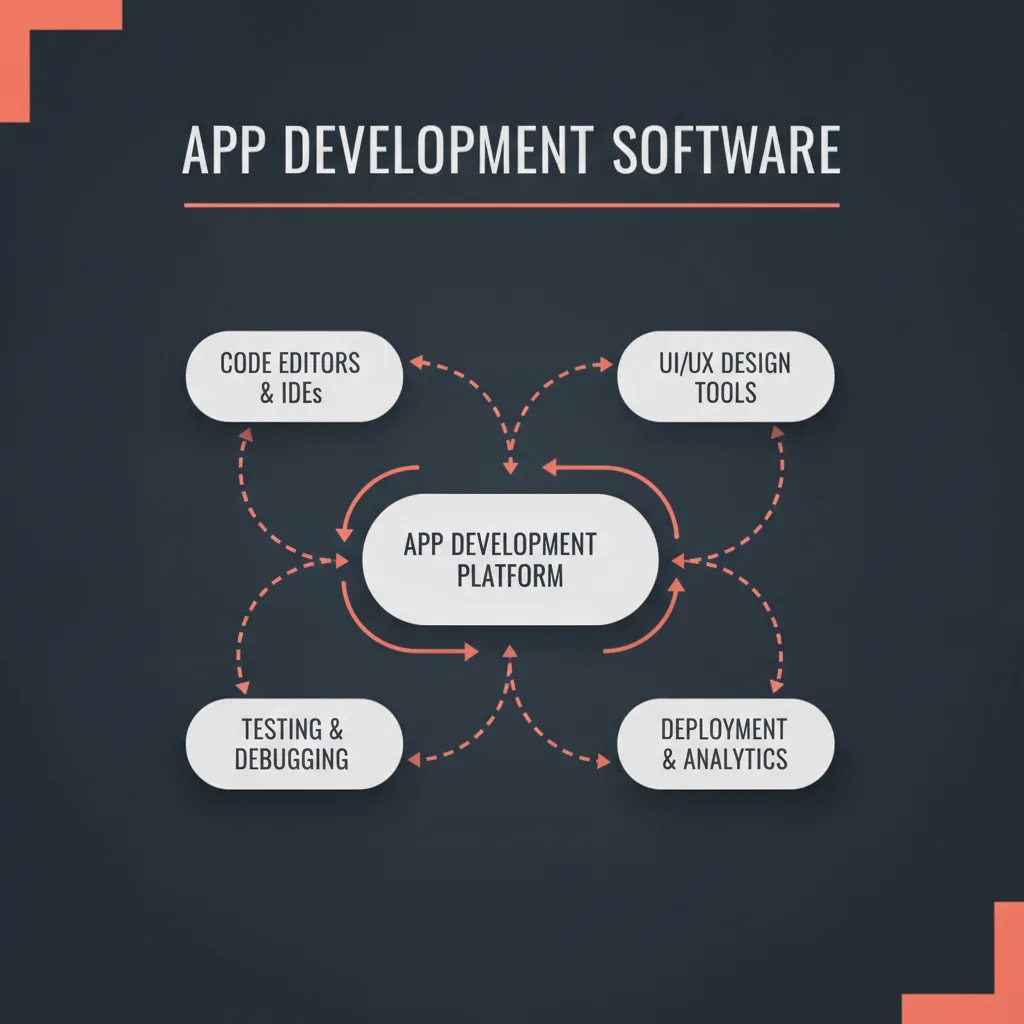
This guide shares how we choose mobile app development software across native IDEs, cross-platform frameworks, and no-code builders—anchored in real projects, not marketing hype. Whether you're evaluating the best app development software for a consumer product or exploring app building software for an MVP, we'll walk through the decision framework LunexLab uses to match tools to client goals.
Key takeaways:
- Native tools (Xcode, Android Studio) deliver maximum performance and platform integration but require separate codebases for iOS and Android.
- Cross-platform frameworks (Flutter, React Native, .NET MAUI) unify development under one codebase, trading minor performance overhead for faster iteration.
- No-code app builders excel at MVPs and validation layers but hit scalability and customization walls in production environments.
- Context matters: LunexLab selects app development tools based on client goals, budget constraints, team composition, and long-term ownership requirements—not trend cycles.
Looking to outsource mobile development entirely? See our guide on choosing the best mobile app development agency to evaluate studio capabilities and portfolio depth.
What Is App Development Software?
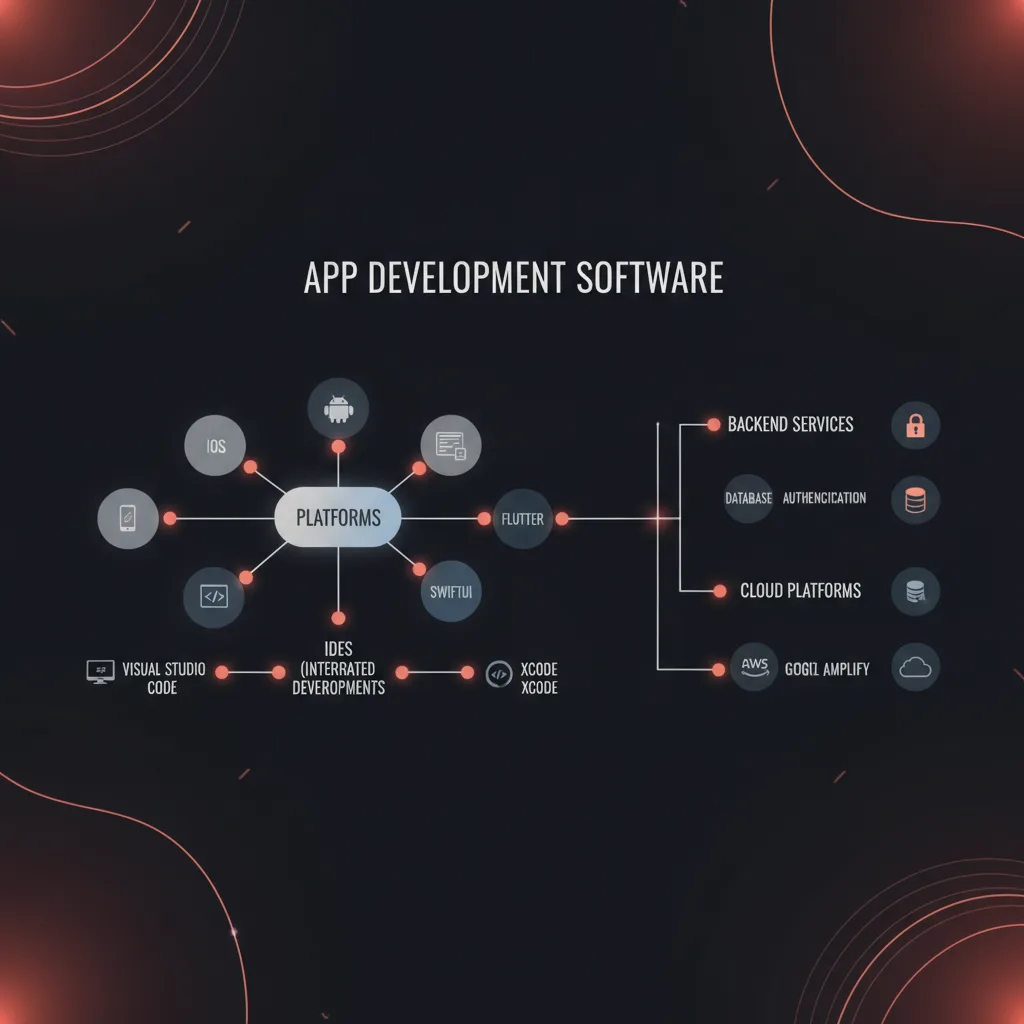
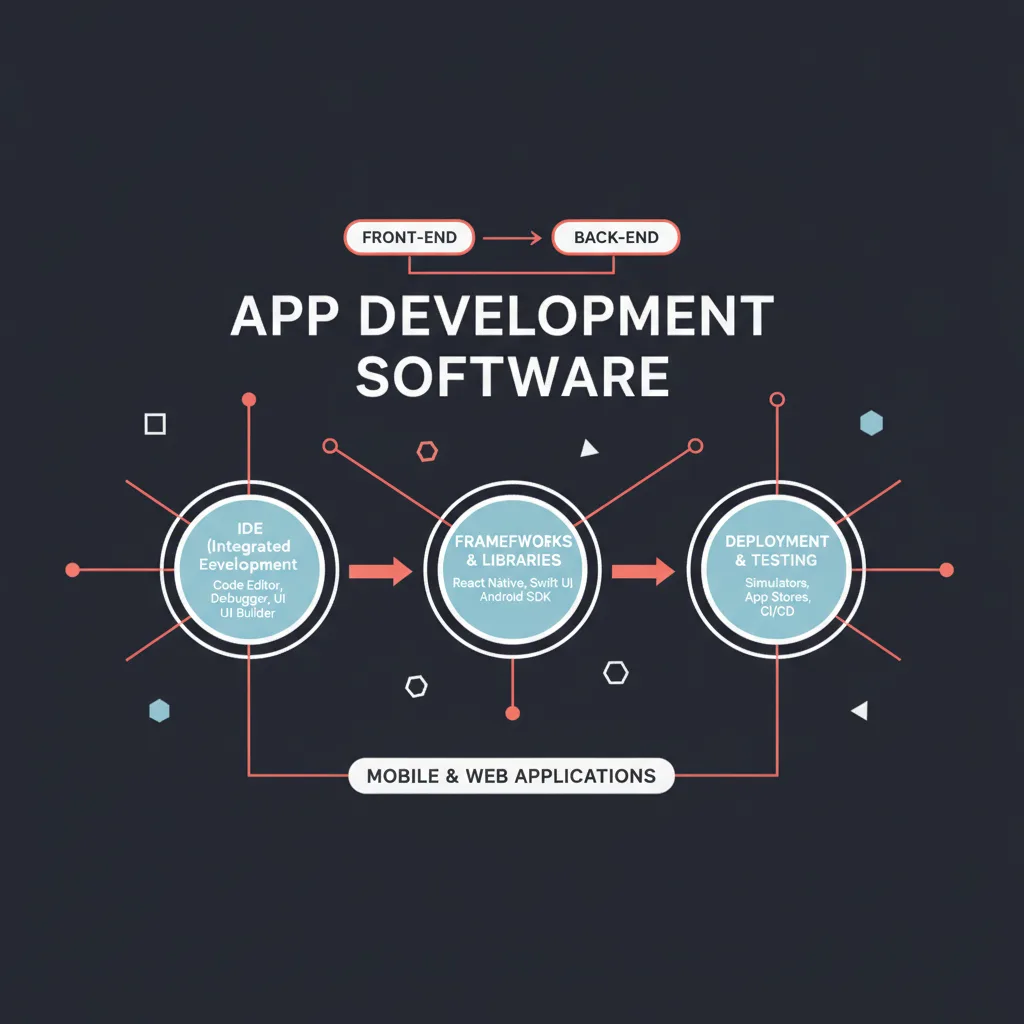
App development software encompasses the IDEs, frameworks, SDKs, and platforms developers use to design, build, test, and deploy mobile applications. The category breaks into three tiers:
Native Development Environments
Xcode for iOS/macOS, Android Studio for Android. Full access to platform APIs, tight OS integration, optimal performance. Requires Swift/Objective-C (iOS) or Kotlin/Java (Android).
Cross-Platform Frameworks
Flutter (Dart), React Native (JavaScript), .NET MAUI (C#). Write once, compile for iOS and Android. Faster than dual native codebases but with architectural constraints and occasional platform-specific workarounds.
No-Code/Low-Code Builders
Visual drag-and-drop tools (Bubble, Zapier, Adalo). Minimal coding knowledge required. Best for prototypes, internal tools, and simple consumer apps. Limited customization and vendor lock-in risks.
Each tier serves different project lifecycles. LunexLab starts with client goals—consumer scale, industrial reliability, regulatory compliance—then maps backward to the appropriate app development platforms.
Native App Development Software
Xcode (iOS/macOS)
Xcode is Apple's integrated development environment for building iOS, macOS, watchOS, and tvOS applications. When LunexLab ships iOS apps, Xcode is the foundation.
#### When We Use Xcode
Fubble VPN iOS required native StoreKit integration for subscription management, Network Extension framework for packet tunneling, and SwiftUI for adaptive UI across iPhone and iPad screen sizes. No cross-platform tool could replicate the performance profile or API depth Apple provides through Xcode.
#### Pros and Cons
Pros:
- Direct access to all Apple frameworks (ARKit, Core ML, HealthKit, Network Extension)
- SwiftUI delivers fast iteration with live previews and declarative syntax
- Instruments profiler for memory, CPU, and network debugging
- First-party support for new OS features on launch day
Cons:
- macOS and Apple hardware required (M1/M2 Macs recommended)
- Swift learning curve for teams without iOS experience
- iOS-only; Android requires separate tooling and codebase
#### Best For
Consumer apps requiring deep iOS integration, privacy-first features (on-device ML, secure enclaves), or flagship polish. Xcode is the iOS app development software of choice for performance-critical applications.
Android Studio
Android Studio, built on JetBrains IntelliJ IDEA, is Google's official IDE for Android development. LunexLab uses it for Android-first projects and hardware integrations.
#### When We Use Android Studio
Fubble VPN Android and Bridge field dashboards both leverage Android Studio. Bridge required Bluetooth Low Energy (BLE) communication with custom STM32 hardware nodes, serial USB debugging for GSM modems, and offline-first SQLite storage—all areas where Android's platform APIs and Kotlin coroutines excel.
#### Kotlin vs. Java
We standardize on Kotlin. Null safety, coroutines for async I/O, and Jetpack Compose for UI reduce boilerplate and cut bug density. Java remains viable for legacy codebases or teams with deep JVM experience, but Kotlin is Android's future.#### Jetpack Compose
Google's declarative UI toolkit. Similar ergonomics to SwiftUI. LunexLab adopts Compose for new Android projects—faster iteration, simpler state management, and better testability than XML layouts.
#### Pros and Cons
Pros:
- Platform completeness: Material Design, CameraX, WorkManager, Room ORM
- Emulator performance improvements (especially on M1 Macs via ARM translation)
- Gradle build system with Kotlin DSL for reproducible, scriptable builds
- Cross-device support (phones, tablets, Wear OS, automotive, TV)
Cons:
- Gradle complexity can frustrate newcomers (build time optimization requires expertise)
- Android fragmentation: testing across OS versions and OEM skins
- Slower Apple feature parity (e.g., privacy nutrition labels, App Tracking Transparency equivalents arrived late)
#### Best For
Android-first products, hardware integrations (IoT, field devices), or teams with existing Kotlin/Java expertise. Android Studio is the Android app development software for production-grade apps.
Visual Studio + .NET MAUI
.NET Multi-platform App UI (MAUI) is Microsoft's evolution of Xamarin.Forms. Single C# codebase targeting iOS, Android, macOS, and Windows.
#### When We Consider .NET MAUI
Enterprise clients with existing .NET infrastructure or Windows-mandatory deployments. ForgeKit, our robotic welding control constructor, used .NET for the desktop operator interface—MAUI extends that investment to mobile field tablets without rewriting business logic.
#### Pros and Cons
Pros:
- Unified C# codebase across mobile and desktop
- Deep Visual Studio tooling (debugger, profiler, IntelliSense)
- Leverage existing .NET libraries and team skills
- Microsoft enterprise support and Azure integration
Cons:
- Smaller community than Flutter or React Native
- Platform abstraction can obscure native APIs
- MAUI maturity lags Flutter in some UI component polish
#### Best For
Enterprise clients with .NET infrastructure, Windows desktop + mobile requirements, or teams with C# expertise. If the client already runs .NET services and the mobile app needs tight backend coupling, MAUI shortens delivery time. Otherwise, we default to Flutter for faster cross-platform iteration.
Cross-Platform Frameworks
Flutter
Flutter, built by Google, compiles Dart code to native ARM binaries for iOS and Android. Renders UI via Skia graphics engine, bypassing platform UI widgets for pixel-perfect consistency.
#### When LunexLab Uses Flutter
Rapid prototyping phases, MVPs with tight budgets, and projects where UI consistency across platforms matters more than deep OS integration. We prototyped early Fubble UI concepts in Flutter before committing to native Swift/Kotlin for production.
#### Pros and Cons
Pros:
- Hot reload: see code changes in <1 second without losing app state
- Single Dart codebase for iOS, Android, web, and desktop
- Rich widget library with Material and Cupertino design systems
- Strong package ecosystem (pub.dev)
Cons:
- Larger app binary sizes (~4–5 MB overhead for Flutter engine)
- Platform-specific features require custom platform channels (adds complexity)
- Dart language: smaller talent pool than JavaScript or Swift/Kotlin
#### Performance Notes
Flutter renders at 60–120 FPS on modern devices. Good enough for most consumer apps. High-frequency interactions (VPN packet processing, real-time sensor streams in Bridge) benefit from native code, so we drop to platform channels or native modules when profiling shows bottlenecks.
#### Best For
Cross-platform MVPs, content-driven apps, internal tools, and projects prioritizing UI consistency over platform-specific features. Flutter is a top mobile app development tool for rapid iteration.
React Native
React Native, maintained by Meta, runs JavaScript in a native environment and bridges to platform UI components. Leverages the React web framework paradigm.
#### When to Choose React Native vs. Flutter
Teams with React web experience or projects sharing logic with a web app. JavaScript ecosystem access (npm) is unmatched. LunexLab prefers Flutter for greenfield mobile projects due to better out-of-the-box performance and tooling, but React Native wins when client teams already maintain React web frontends.
#### Pros and Cons
Pros:
- Massive npm ecosystem and community
- React paradigm familiar to web developers
- Hot reloading and fast iteration
- Expo framework simplifies setup and deployment
Cons:
- JavaScript bridge introduces overhead (improving with new architecture/Fabric)
- Dependency on third-party modules for platform features
- Upgrade churn: React Native version bumps can break packages
#### Best For
Teams with React expertise, projects sharing web + mobile codebases, or apps requiring deep JavaScript library integrations. React Native is production-ready for feature-rich consumer apps.
No-Code & Low-Code Platforms
No-code app builders (Bubble, Zapier, Adalo, Glide) let non-developers assemble apps via drag-and-drop interfaces and visual logic flows. Low-code platforms (OutSystems, Mendix) add scripting escape hatches for developers.
When to Use No-Code
MVPs, internal tools, non-technical founders validating ideas before hiring a development team. For rapid prototyping with AI-assisted generation, explore options in our guide to the best free AI app builder.
Limitations
Scalability: Most no-code platforms hit performance walls at 10k+ active users or complex data models.
Custom integrations: Third-party APIs and hardware (like Bridge's BLE field nodes) require workarounds or aren't possible.
Vendor lock-in: Export and migration paths are limited. If the platform shuts down or changes pricing, you rebuild from scratch.
LunexLab Perspective
No-code works as a validation layer—launch, test market fit, gather user feedback—but not as production architecture for complex apps. We've re-platformed three client projects from no-code to native/cross-platform after they proved traction. Budget for the rebuild when planning runway.
For teams exploring cloud-based low-code environments, compare AWS App Studio and Google AI Studio options for backend-integrated rapid development.
Comparison Table: Native vs. Cross-Platform vs. No-Code
| Criteria | Native (Xcode/Android Studio) | Cross-Platform (Flutter/React Native) | No-Code (Bubble, Zapier) |
|---|---|---|---|
| Performance | Excellent (direct OS APIs) | Good (minor bridge overhead) | Limited (web view or heavy abstractions) |
| Dev Speed | Slower (2 codebases for iOS+Android) | Fast (1 codebase, hot reload) | Fastest (visual assembly, no code) |
| Customization | Full control (any API, any library) | High (platform channels for native) | Low (constrained by builder features) |
| Scalability | High (optimized per platform) | High (proven at scale) | Low–Medium (hits walls at 10k+ users) |
| Team Skill | Swift/Kotlin required | Dart or JavaScript | None (visual interface) |
| Cost (upfront) | Higher (dual codebases, specialized devs) | Medium (1 codebase, some platform work) | Lower (no dev salary, platform subscription) |
| Cost (long-term) | Lower (ownership, no vendor fees) | Lower (ownership, open-source tooling) | Higher (subscription fees scale with usage) |
| Offline-First | Excellent (CoreData, Room, file system) | Good (SQLite, Hive) | Poor (web-first architecture) |
| App Store Approval | Standard process | Standard process | Sometimes flagged (webview reliance) |
How LunexLab Chooses App Development Software
Our selection framework balances client goals, constraints, and long-term ownership:
Client Goals and Project Type
#### Consumer Scale
Fubble VPN: Native iOS and Android for performance, platform integration (StoreKit, Play Billing), and user trust signals. Cross-platform would save 30% dev time but cost 5–10% slower VPN throughput and subscription flow friction.
#### Industrial Operations
Bridge: Native Android for BLE hardware control, offline mesh networking, and rugged tablet deployment. Flutter would work but adds complexity for hardware abstraction.
#### Internal CRM Tools
Helios: Web-first with responsive mobile views. No native app needed—progressive web app (PWA) delivers 90% of mobile UX without app store distribution overhead.
#### Robotic Control
ForgeKit: .NET MAUI for desktop-first operator interface with mobile field companion. Unified C# codebase leverages existing CAD/CAM logic.
Timeline & Budget Constraints
<3 months, MVP validation: No-code or Flutter. Ship, test, iterate.
3–6 months, production v1: Flutter or React Native if cross-platform UI suffices. Native if platform APIs are critical.
6+ months, scale target >50k users: Native or battle-tested cross-platform. Budget for performance profiling and optimization.
Team Composition & Handoff Requirements
Client has in-house React web team: React Native minimizes onboarding friction.
Client has no dev team, plans to hire: Native or Flutter. Avoid no-code lock-in.
LunexLab handoff to client dev team: We document stack decisions, provide architectural diagrams, and run knowledge-transfer sessions. Native code is easiest for new hires to ramp on (larger talent pools).
Future-Proofing: Ownership, Export, Vendor Risk
Native: Zero vendor risk. You own the codebase and tooling (Xcode/Android Studio are free).
Cross-platform open-source (Flutter, React Native): Low vendor risk. Community forks exist if Google or Meta abandon projects (unlikely).
No-code platforms: High vendor risk. We've seen three clients unable to export data or logic when platforms changed terms. Use for validation only.
LunexLab's philosophy: Ship real products with stacks that support iteration, ownership, and scale. We prioritize app development tools that let clients hire future maintainers without rewriting from scratch.
Key Considerations When Selecting App Development Software
Budget & Timeline
Native development costs more upfront (two codebases) but reduces long-term maintenance friction. Cross-platform cuts initial costs by 20–40% but may add platform-specific bug fixes later. No-code appears cheapest until you factor in rebuild costs post-validation.
LunexLab recommendation: If budget allows, go native for flagship consumer products (Fubble VPN model). If runway is tight, start cross-platform or no-code, but plan the native migration roadmap before launch.
Team Expertise
Hiring Swift or Kotlin developers is easier than finding experienced Flutter or React Native engineers (though the gap is closing). If your team already knows React, React Native is a faster start. If you're hiring from scratch, native skills transfer across projects and employers better than framework-specific knowledge.
Platform Requirements (iOS-only, Android-only, Cross-Platform)
If you only need iOS or only Android, native is the obvious choice. If you need both, the calculus shifts:
- High-performance, platform-deep features: Native (Fubble VPN approach).
- Standard CRUD apps, content-driven UIs: Cross-platform (Flutter/React Native).
- Prototype or internal tool: No-code or Flutter for speed.
Scalability & Maintenance
Native apps scale linearly with user growth—no abstraction layers to debug. Cross-platform apps scale well but occasionally surface framework update issues (e.g., React Native 0.68→0.70 breaking changes). No-code platforms cap out early or force expensive re-platforming.
LunexLab case study: We migrated a client from a no-code builder to Flutter at 15k users when response times degraded and feature requests outpaced builder capabilities. The rebuild took 4 months and cost 3× the original no-code spend—but unlocked features that drove 10× user growth over the next year.
Integration Needs (APIs, Hardware, CRM Systems)
Modern mobile app development tools integrate with RESTful APIs and GraphQL endpoints easily. Specialty integrations require more care:
#### Hardware (Bluetooth, USB, Sensors)
Native or Flutter with platform channels. Bridge field dashboards use Android BLE APIs directly for low-latency sensor polling.
#### Enterprise CRM Systems
Helios CRM exposes a REST API consumed by mobile apps. Any stack works if the backend is well-designed.
#### Payment Processors
Native StoreKit (iOS) and Play Billing (Android) for in-app purchases. Cross-platform frameworks wrap these but add minor latency. No-code platforms charge transaction fees on top of standard processor rates.
FAQ: App Development Software
What is the best app development software for beginners?
No-code platforms (Bubble, Zapier, Glide) or cross-platform tools like Flutter offer the fastest onboarding. For serious skill-building that transfers to professional work, start with Android Studio (Kotlin) or Xcode (Swift). Both have extensive official documentation, large communities, and direct paths to freelance or employment opportunities.
For AI-assisted prototyping, explore options in our free AI app builder guide to accelerate initial development.
Can you build a production app with no-code software?
Yes, for MVPs and simple use cases (content apps, directories, booking forms). LunexLab recommends transitioning to native or cross-platform once validation is proven to avoid scalability bottlenecks, customization limits, and vendor lock-in. Budget for the rebuild during your seed or Series A funding round.
What app development software does LunexLab use?
Xcode + Swift for Fubble VPN iOS, Android Studio + Kotlin for Fubble Android and Bridge field dashboards, Flutter for rapid prototyping, and .NET MAUI for industrial projects like ForgeKit where desktop and mobile interfaces share business logic. We match tools to project requirements, not trend cycles.
Is Android Studio or Xcode better?
Depends on target platform. Android Studio for Android, Wear OS, and cross-device ecosystems; Xcode for iOS, macOS, watchOS, and tvOS. LunexLab maintains expertise in both for full-spectrum mobile coverage. If forced to choose one for learning, Android Studio runs on Windows, macOS, and Linux; Xcode requires a Mac.
What's the difference between app development software and app builders?
App development software (IDEs, SDKs like Xcode and Android Studio) requires coding expertise and offers full platform control. App builders (no-code platforms like Bubble, Adalo) use visual interfaces and templates with minimal coding. Studios like LunexLab use both depending on project phase: builders for validation, development software for production scale.
Can AI tools help with app development?
Yes. LLM-assisted code generation (GitHub Copilot, Cursor, Replit) accelerates boilerplate writing and API integration. Google AI Studio and similar platforms help prototype conversational interfaces. However, architecture, security, and performance optimization still require human expertise. LunexLab uses AI tools to speed implementation, not replace judgment.
Conclusion
No single app development software fits every project. Native IDEs (Xcode, Android Studio) deliver maximum performance and platform control at the cost of dual codebases. Cross-platform frameworks (Flutter, React Native, .NET MAUI) unify development under one codebase with acceptable performance trade-offs. No-code app builders excel at validation but hit walls when scaling or customizing.
LunexLab's selection process starts with client goals—consumer trust and scale (Fubble VPN), industrial reliability and hardware integration (Bridge), enterprise workflow automation (Helios CRM)—then works backward to the right stack. We ship real products with tools that support iteration, ownership, and long-term maintenance, not hype cycles.
Evaluating app development software for your next product? Contact LunexLab to discuss your project requirements, timeline, and technical constraints. We'll map your goals to a stack that ships on time and scales under load.
Related Projects & Resources
- Fubble VPN case study — Native iOS + Android consumer VPN with subscription management and WireGuard tunneling
- Bridge: Field Hardware + Mobile Dashboards — Custom STM32 nodes, BLE/mesh networking, and Android field dashboards for bridge/tunnel structural monitoring
- Helios AI CRM — Modern CRM platform with AI assistants and mobile-responsive web interface
- ForgeKit: Robotic Welding Constructor — .NET MAUI industrial control system generating robot programs for agricultural sprinkler fabrication
- Best Mobile App Development Agency — How to evaluate studios when outsourcing mobile projects
- AWS App Studio — Cloud-based low-code alternative for rapid prototyping
- Best Free AI App Builder — AI-assisted no-code platforms for MVP validation
- Services — LunexLab's mobile and web development offerings