
Google AI Studio free tier is available with no credit card required. You get immediate access to Gemini models (Gemini 4 Hydrogen, Gemini 3.x Flash, Gemma 4) with multimodal prompts, code export, and a web-based IDE. For product teams building AI features, it's zero-friction prototyping before API spend kicks in.
Google AI Studio free tier is available with no credit card required. You get immediate access to Gemini models (Gemini 4 Hydrogen, Gemini 3.x Flash, Gemma 4) with multimodal prompts, code export, and a web-based IDE. For product teams building AI features, it's zero-friction prototyping before API spend kicks in.
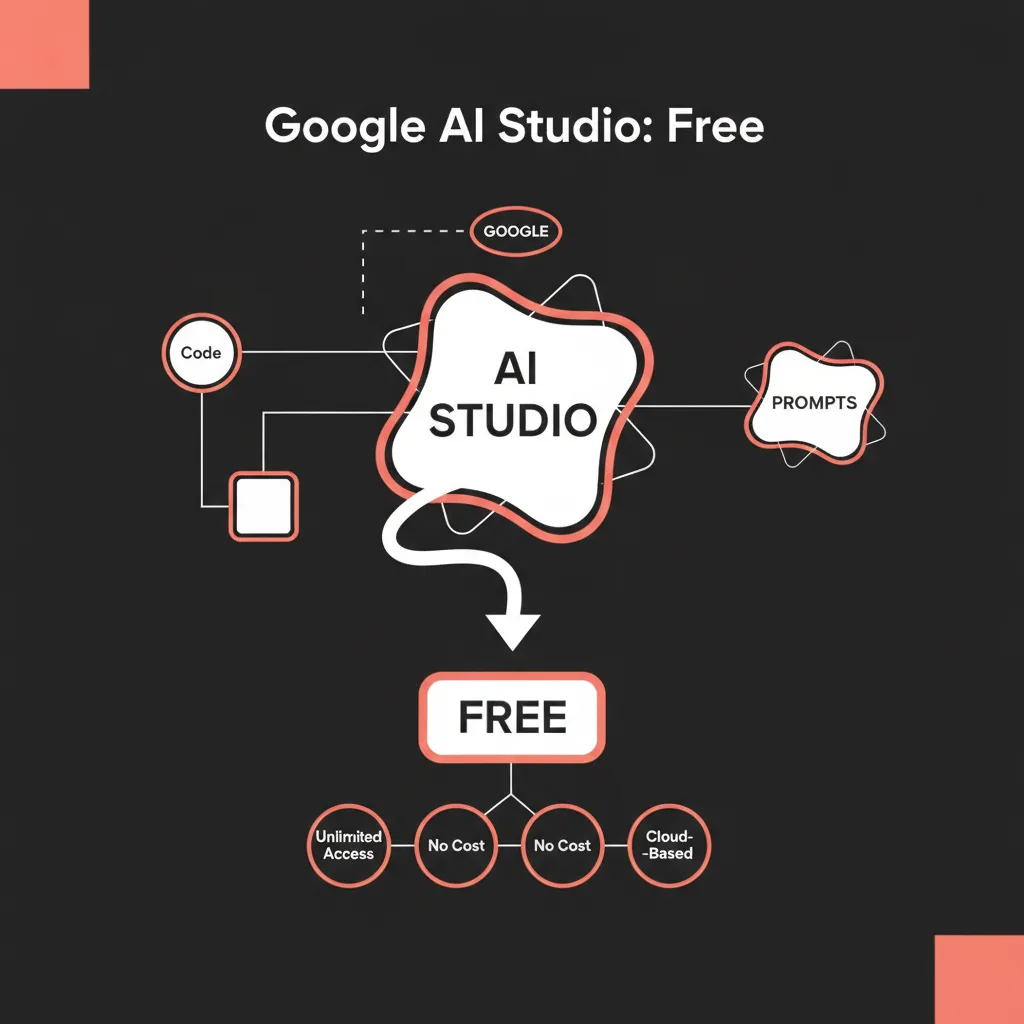
At LunexLab, we prototype AI features like voice agents and conversational assistants in tools like Google AI Studio, then ship production apps. When we built the Helios CRM with AI-powered customer note assistants, we tested prompts in Google AI Studio free before integrating the Gemini API into the production stack. The free tier lets you validate ideas fast, then scale when you're ready. Need help building your AI feature? Get in touch to discuss your project.
Key Takeaways:
- Google AI Studio offers a true free tier with rate-limited Gemini model access and no credit card requirement
- Access includes Gemini 4 Hydrogen, Gemini 3.x Flash/Flash-Lite, Gemma 4, multimodal prompts, and code export
- Best for prototyping MVPs and internal demos; production apps may need API upgrade for higher rate limits and SLA
- Compare with AWS App Studio and other free AI app builders to find the right fit for your stack
What Is Google AI Studio?
Google AI Studio is Google's web-based IDE for prototyping with Gemini models. You build, test, and iterate on prompts with multimodal inputs (text, images, audio), then export working code for production integration. It's built on Google DeepMind's latest models and designed for developers who want to turn ideas into apps without infrastructure setup.
Unlike the consumer-facing Gemini app, Google AI Studio is a developer tool. You select models, fine-tune prompts, test with real data, and export Python or Node.js code. It's the fastest path from "what if we added AI?" to a working prototype.
Why Google AI Studio Matters for Product Teams
The Google AI Studio free tier removes three common barriers: cost, setup complexity, and credit card friction. You can start building in minutes, test with production-like data, and export code that works in your stack. For teams evaluating AI features (voice commands, image analysis, conversational interfaces), Google AI Studio free is the validation layer before API spend.
Core Features Available for Free
The free tier includes model selection (Hydrogen, Flash, Gemma 4), multimodal prompt testing (text + image + audio), code export to Python and Node.js SDKs, and prompt versioning. You won't get enterprise features like fine-tuning or dedicated throughput, but you get enough to build, test, and decide whether to scale.
Is Google AI Studio Free? (The Complete Answer)
Free Tier Access
Google AI Studio is free with no credit card, no trial expiration, and no surprise charges. Sign in with a Google account at aistudio.google.com and you're in. The free tier is rate-limited, but sufficient for prototyping, internal testing, and early-stage product validation.
What's Included in the Free Tier
The free tier includes:
- Gemini 4 Hydrogen: Lightweight, fast model for quick responses
- Gemini 3.x Flash and Flash-Lite: Balanced speed and quality for multimodal tasks
- Gemma 4: Open-weight model access for on-device or self-hosted scenarios
- Multimodal prompts: Text, image, and audio inputs in a single prompt
- Code export: Python, Node.js, and other SDK snippets ready to integrate
- Prompt management: Save, version, and organize prompts in the web IDE
Rate limits apply. You won't hit them during solo prototyping, but larger teams or high-volume testing may need to upgrade. No data residency guarantees or SLA at the free tier, so it's not for production apps shipping to customers.
What's Not Free (or Has Limits)
Higher rate limits, enterprise features, and production-scale usage require the Gemini API with billing enabled:
- Higher rate limits: Free tier caps requests per minute; API billing removes caps
- Fine-tuning and dedicated throughput: Enterprise features not available on free tier
- Production SLA: No uptime guarantee at free tier; API billing adds reliability commitments
- Newest models first: New models may launch on paid API before appearing in free tier
If you're shipping to users, you'll want API billing. If you're validating ideas or building demos, Google AI Studio free tier is enough.
Rate Limits by Model
As of 2026, the Google AI Studio free tier supports:
- Gemini 4 Hydrogen: Approximately 15 requests per minute
- Gemini 3.x Flash: Approximately 10 requests per minute
- Gemma 4: Approximately 5 requests per minute (higher compute cost)
Limits are subject to change; check the official Google AI Studio docs for current quotas. For prototyping, these limits are generous. If you're running continuous automated tests or sharing one API key across a large team, you'll hit caps and need to upgrade.
Google AI Studio Free Tier vs. Gemini App
Google offers two AI products for different audiences. Here's how they compare:
| Feature | Google AI Studio (Free) | Gemini App (Free) |
|---|---|---|
| Model access | Gemini Flash, Pro, Hydrogen, Gemma 4 | Gemini Pro (consumer tier) |
| Use case | Prototyping, code export, multimodal | General chat, search, productivity |
| Rate limits | Moderate (rate-limited API calls) | Daily conversation cap |
| Code export | ✅ Yes (Python, Node, etc.) | ❌ No |
| Multimodal prompts | ✅ Yes (text, image, audio) | ✅ Yes (text, image) |
| Best for | Developers, product teams | End users, research |
When to use Google AI Studio: You're building an app, need code export, or want to test multimodal prompts with custom data.
When to use Gemini app: You're an end user, researcher, or non-technical team member exploring AI for personal productivity.
For product teams, Google AI Studio free is the developer-first choice. When we prototype features like voice agents or image analysis for field data (see our Bridge case study on structural monitoring), we start in AI Studio, not the Gemini app.
Free Models Available in Google AI Studio
The Google AI Studio free tier gives you access to multiple Gemini model families, each optimized for different use cases:
Gemini 4 Hydrogen
Lightweight, fast responses. Best for high-volume, low-latency tasks like chatbots or inline suggestions. When you need speed over depth, Hydrogen delivers.
Gemini 3.x Flash / Flash-Lite
Balanced speed and quality. Good for multimodal tasks (image + text analysis, document understanding, moderate-length conversations). We use Gemini Flash for most prototypes; it's the sweet spot of speed, quality, and free-tier availability.
Gemma 4
Open-weight model you can run on-device or self-host. Ideal for privacy-sensitive apps or offline use cases. If your product needs to run AI locally (mobile device, edge hardware, or air-gapped environments), Gemma 4 is your starting point.
How to Pick a Model for Your Prototype
- Fast chatbot or assistant: Gemini 4 Hydrogen
- Multimodal (image + text): Gemini 3.x Flash
- Privacy or offline: Gemma 4
How to Get Started with Google AI Studio Free
Getting started with Google AI Studio free takes five minutes:
Step-by-Step Setup
Step 1: Go to aistudio.google.com
Step 2: Sign in with your Google account (no card needed)
Step 3: Create a new prompt or choose a template from the gallery
Step 4: Test with multimodal inputs (upload an image, paste text, or link to audio)
Step 5: Export code for your app (Python SDK example):
import google.generativeai as genai

genai.configure(api_key="YOUR_API_KEY")
model = genai.GenerativeModel('gemini-4-flash')
response = model.generate_content("Explain this chart", image_file)
print(response.text)
Step 6: Iterate without billing until you're ready for production
Prototyping Workflow
We prototype features like AI-assisted CRM note generation (Helios) or voice command parsing in studios like this, then integrate into production apps once the prompt logic is validated. Google AI Studio free tier lets you fail fast and ship smart.
Testing Multimodal Prompts
Upload a product image + text description, test summarization or feature extraction, then export the working prompt code. For Bridge (structural monitoring hardware), we tested image + sensor data fusion in Google AI Studio before writing production integration code for STM32 + BLE + AI pipeline.
When to Upgrade from Free Tier to Paid API
The Google AI Studio free tier is best for prototyping. Here's when to upgrade:
Free Tier Best For
- MVPs and proof-of-concept demos
- Internal testing with small teams
- Validating prompts before production
- Learning and experimentation
Upgrade to Gemini API with Billing When
- Rate limits block user testing or automated workflows
- You need an SLA for uptime and reliability
- Shipping to production users (customers, partners, or fleet deployments)
- Compliance requires data residency or dedicated infrastructure
Transition Path
Google AI Studio to Gemini API with billing. Export your prompt code, add an API key with billing enabled, and scale rate limits as needed. For startups, Google offers $300 in free credits (enough to test at scale before you're paying monthly).
Cost Predictability
Gemini API pricing is per-token (input + output). For typical chatbot use, expect $0.01–$0.10 per conversation. Budget accordingly and monitor usage in Google Cloud Console.
When we shipped Helios CRM's AI assistant to production, we transitioned from free-tier prototyping to API billing in one afternoon. The code didn't change; just the API key and rate limit config.
Google AI Studio Free vs. Other Free AI Builders
How does Google AI Studio free tier compare to other platforms?
| Platform | Free Tier | Models | Code Export | Best For |
|---|---|---|---|---|
| Google AI Studio | ✅ Yes, no card | Gemini 4, Flash, Gemma 4 | ✅ Yes | Multimodal prototyping |
| AWS App Studio | ✅ Limited free tier | Amazon Bedrock models | ⚠️ Limited | AWS-native stacks |
| OpenAI Playground | ⚠️ $5 credit, card required | GPT-4, GPT-3.5 | ✅ Yes | OpenAI ecosystem |
| Hugging Face Spaces | ✅ Yes, open models | Open-source LLMs | ✅ Yes (Gradio) | Open-weight experimentation |
Google AI Studio Wins For
- No-card-required access (trust signal for teams evaluating tools)
- Multimodal prompts out of the box
- Tight integration with Google Cloud if you're already in that ecosystem
AWS App Studio Wins For
- AWS-native teams (Lambda, S3, DynamoDB integrations)
- Bedrock model variety (Claude, Llama, etc.)
OpenAI Playground Wins For
- GPT-4 access (if you're locked into OpenAI ecosystem)
- Established developer community and docs
Hugging Face Spaces Wins For
- Open-weight models and self-hosting
- Privacy-first or compliance-heavy use cases
For most product teams, Google AI Studio free tier is the fastest path to a working prototype. If you're already on AWS, compare it with AWS App Studio. If you need GPT-4, start with OpenAI Playground. If you want open weights, go Hugging Face.
We pick the tool that fits the client's stack. For Google Cloud teams or multimodal-first projects, Google AI Studio free is the default. Explore our guide to the best free AI app builder for a broader comparison.
Real-World Use Cases for Google AI Studio Free Tier
Here's how product teams use the Google AI Studio free tier in practice:
Use Case 1: Prototyping a Voice Agent
Test Gemini multimodal with audio input: upload a voice memo, ask for transcription + sentiment analysis, then export prompt logic to a production voice app. We used this flow when prototyping voice command parsing for field workers in the Bridge project (structural monitoring hardware). Google AI Studio free tier let us validate the prompt before integrating into the production STM32 + BLE + AI pipeline.
If you're building voice features, check out Google AI Voice Studio for text-to-speech prototyping.
Use Case 2: AI-Assisted CRM
Build a conversational assistant for customer notes. Upload sample CRM data (customer history, call logs), test prompts for summarization and next-action suggestions, then transition to API when deploying. In Helios CRM, we prototyped the AI assistant's tone and response format in Google AI Studio free before writing production integration code.
Use Case 3: Image + Text Analysis for Field Data
Upload photos + sensor logs (Bridge use case: bridge sag maps with laser rangefinder data), prototype AI analysis flows (crack detection, anomaly flagging), then scale to production API for fleet deployment. Google AI Studio free tier gave us model selection confidence: Gemini Flash handled image + text fusion better than Hydrogen for this use case.
Use Case 4: Document Understanding for Operations
Test document parsing (invoices, route sheets, inspection reports) with Gemini Flash. For Mileline (courier payroll from routes), we prototyped distance extraction from route sheets in Google AI Studio free, then moved to API billing when scaling to hundreds of daily payroll runs.
Limitations of the Free Tier (What to Know)
The Google AI Studio free tier is generous, but it has limits:
Rate Limits
10–15 requests per minute depending on model. Fine for solo prototyping; may block rapid iteration with large teams or automated testing. Solution: upgrade to API billing or stagger tests.
No SLA
Uptime not guaranteed for production. If Google AI Studio is down, you're offline. Solution: don't ship production apps on free tier; use API billing for reliability.
Model Availability
Newest models (e.g., Gemini 5 when it launches) may appear on paid API first. Free tier gets stable releases, not experimental models. Solution: budget for API billing if you need day-one access to new models.
Data Residency
Consumer-tier terms apply (data may be used for model improvement; opt-out available, but review terms). For compliance-sensitive apps (HIPAA, GDPR with strict DPA requirements), free tier may not meet legal requirements. Solution: use API billing with enterprise agreements.
Transition Friction
Moving prompts from AI Studio to production code requires refactoring, especially if you're using features like prompt chaining or file uploads. Solution: plan for integration time; free tier is for validation, not production deployment.
Google AI Studio free tier is for prototyping. If you're shipping to users, budget for API billing from day one.
FAQ: Google AI Studio Free Tier
Do I need a credit card to use Google AI Studio for free?
No. Sign in with a Google account; no billing info required for the Google AI Studio free tier.
What models are free in Google AI Studio?
Gemini 4 Hydrogen, Gemini 3.x Flash/Flash-Lite, and Gemma 4 are available with rate limits in the Google AI Studio free tier.
Can I use Google AI Studio free tier for production apps?
The Google AI Studio free tier is best for prototyping. Production apps should use the Gemini API with billing for reliability and higher rate limits.
How does Google AI Studio differ from the Gemini app?
AI Studio is for developers (code export, multimodal prompts, model selection). The Gemini app is for end-user chat and productivity.
Are there any hidden costs in the free tier?
No hidden costs. Rate limits apply, but you won't be charged unless you opt into API billing.
---
Ready to Build with AI?
Google AI Studio free tier removes the friction from AI prototyping: no card, no commitment, just model access and code export. When you're ready to ship production apps, LunexLab builds AI features from prototype to production (mobile, web, voice, multimodal). We've shipped AI-assisted CRMs, field hardware with AI analysis, and consumer apps like Fubble VPN.
Get in touch to discuss your project, or explore our case studies to see how we ship.